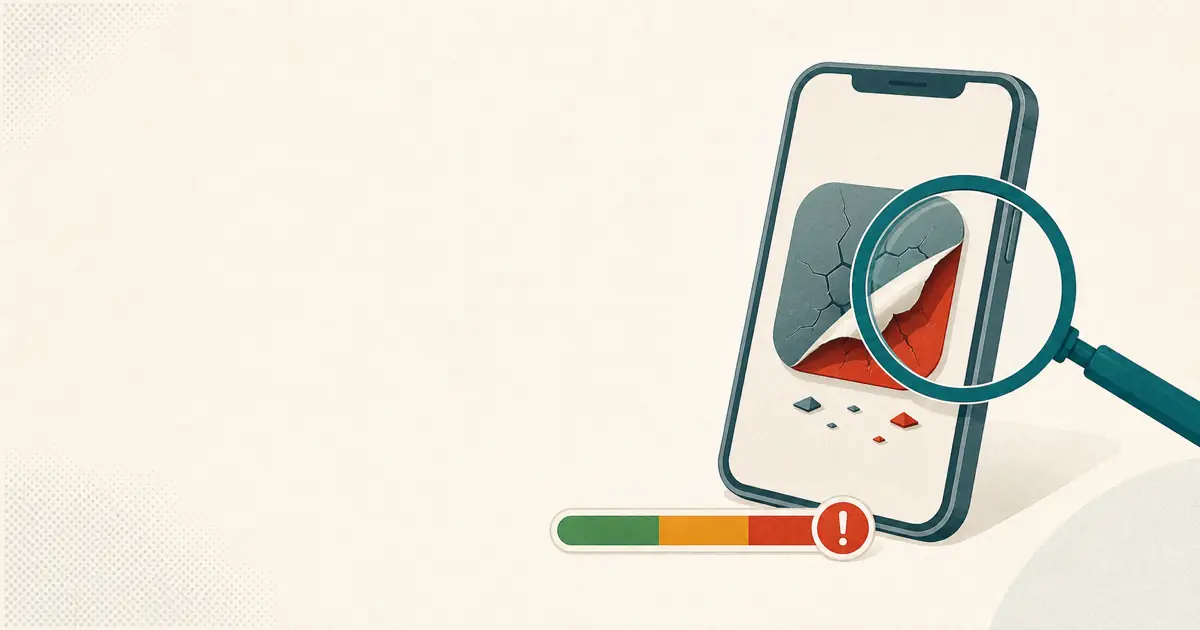
A lot of people trip on step one: they open the App Store or Google Play, search "OKX" or "Binance," and install whatever sits at the top. The problem is, the top result isn't necessarily the official one. A cloned app looks almost pixel-for-pixel like the real thing—you register fine, you see your balance fine—right up until your first transfer or withdrawal, when it swaps the payout address for the scammer's. This guide lays it out: where fake apps come from, how they take your money, how to spot one at a glance, and how to download the real one from an official channel.
- A fake app is visually indistinguishable from the real one. The danger isn't at login—it's the moment you move money and it swaps the payout address.
- Don't just search the name in the store and install. Open the official domain
okx.comfirst, download through the channel it points you to, then bookmark it. - Results marked "Ad," and "app update links" sent by a stranger posing as support—never tap them.
Why fake exchange apps end up in the store at all
It's not that the App Store and Google Play skip review—it's that the clone operators keep playing cat-and-mouse with it. They publish under a near-identical name, with the same icon and screenshots, and often disguise the app under an unremarkable category like "Utilities," "Productivity," or "Lifestyle" to slip past the first review—or they ship a clean version first and push the malicious logic later through an update. Add in people buying ad slots in search engines and the stores themselves, so a clone page or phishing download page ranks near the top, and a beginner who searches the name and taps the first result walks right into it.
So "search the name and install the first result" is a risky move by itself—you've handed the "which one is real" decision over to the search ranking, and ranking can be bought and gamed.
How a fake app actually steals your money
In the most typical version, the interface is no different from the real one: you can register, log in, and see your balance. The trap is hidden in the transfer and withdrawal step—once you've filled in the recipient's address and tapped confirm, the app quietly swaps the payout address for the scammer's; and a blockchain transfer, once broadcast, is irreversible—the money lands directly in their wallet. Another version is an installer laced with malware that watches your clipboard at the system level, so when you copy-paste a wallet address, it gets swapped for another one.
That's also its nastiest trait: day to day, logging in and checking your assets looks perfectly normal; it only triggers when you actually move money, and by the time you notice something's wrong, the funds are already gone.
How to spot a fake at a glance (green-light / red-light)
Green light
You downloaded it via the guidance on the official domain okx.com; the developer name, download count, and review volume all match a major exchange; its store category is normal; and once installed, the official site opens fine with the domain matching to the letter.
Red light
Very low downloads, few reviews that are recent and repetitive; filed under an odd category like Utilities/Productivity/Lifestyle; installed from an "Ad"-marked result or a link a stranger posing as support sent; or it asks you to "turn off your system's protection," "trust this developer," or sideload a configuration profile before it'll install.
The rule of thumb is simple: where it came from matters far more than how much it looks like the real one. The icon and interface can be copied one-to-one, but "which path you downloaded it from" can't be. If the source is a search ad slot, a stranger's link, or some sketchy third-party site, delete it no matter how legit it looks.
How to download the real OKX
The correct order is confirm the domain first, then get the app—not search the app store first:
- Type the official domain
okx.cominto your browser by hand (don't tap the "Ad"-marked search result), then download the client from the channel the official site points you to. - Check that the developer name matches the official one; on iPhone get it only from the App Store, on Android only from Google Play or the official download page. Never install an
.apksomeone sent you, and never sideload a configuration profile or a TestFlight build a "support agent" pushes at you. - The first thing to do once it's installed: bookmark the official site
okx.comand only ever enter from the bookmark, never again via search. - Turn on two-factor authentication (2FA) and set an anti-phishing code, so even a spoofed email or message is easier to see through.
any trading-fee discount is up to 20%, with the actual rate and eligibility subject to current OKX terms.
What to do if you already installed one / sent money
First, stop immediately: don't send any more money in, and definitely don't follow instructions to "activate your account / unfreeze funds / pay tax" and then pay again—that's the scammer's second cut. Then open the genuine official domain okx.com and log in yourself to check, change the related passwords, and turn on two-factor authentication. Keep your transfer records, chat logs, and screenshots of where the app came from, and report it to your local anti-fraud line or police as soon as possible, handing over the evidence. To say it one more time: anyone asking for your private key or seed phrase is a scammer, 100% of the time, no exceptions.
Save this: a 5-point pre-download check
- ☐ I downloaded it by going to the official domain
okx.comthat I typed in myself, not the first thing a search turned up - ☐ I didn't tap any result marked "Ad," and I didn't tap a download link a stranger sent
- ☐ The developer name, download count, and reviews all match a major exchange
- ☐ It never asked me to turn off my system's protection, "trust an unknown developer," or sideload a profile
- ☐ Once installed, I've bookmarked the official site and turned on 2FA
Common questions
Is the "OKX" I found in the app store definitely official?
Not necessarily. Lookalike apps with the same or near-identical name have been a long-running problem in both the App Store and Google Play, especially when you search from certain regional accounts—the top result can be a clone. The safest move isn't to search the name in the store; it's to open the official domain okx.com first and download through the channel the official site points you to, then cross-check the developer name, download count, and reviews. Once you've got it, bookmark the site and only ever enter from the bookmark.
How exactly does a fake exchange app steal my money?
The most common version: the interface looks almost identical to the real one, you register and deposit normally, but when you transfer or withdraw, the app quietly swaps the payout address for the scammer's—and a blockchain transfer can't be reversed once sent. Another version is an installer laced with malware that intercepts or rewrites the wallet address you copy at the system level. So the risk is concentrated in the moment you move money; when you just log in and check your balance, nothing looks wrong.
How do I tell whether the app on my phone is fake?
Check a few signals: did you download it via the official domain okx.com; do the developer name, download count, and review volume match a major exchange (clones usually have very low downloads and reviews that are recent and repetitive); is it filed under an odd category like Utilities/Productivity/Lifestyle; and did you install it from a result marked "Ad" or a link a stranger sent. If even one thing doesn't add up, delete it and start over from the official site.
I already deposited into a suspicious app—what do I do now?
Stop immediately. Don't send any more money in, and don't follow instructions to "activate/unfreeze/pay tax" before withdrawing (that's a second-stage scam). Open the genuine official domain okx.com and log in yourself to check the account, change the related passwords, and turn on two-factor authentication. Keep your transfer records, chat logs, and screenshots of where the app came from, and report it to your local anti-fraud line or police as soon as possible with that evidence. Anyone asking for your private key or seed phrase is a scammer, no exceptions.
Related reading
- Cloned apps (fake OKX / fake Binance)—the full case file for this category, from how a fake app gets listed to how it steals.
- How to tell if an exchange is legit—picking a reputable major exchange is the first step to dodging fake apps.
- Run any "opportunity" through these 7 steps first—a universal self-check to apply to any suspicious link.