ScamLensCrypto Scam Field Guide
Safe Sign-Up

How to Sign Up for OKX Safely: The Anti-Scam Step at Each Stage

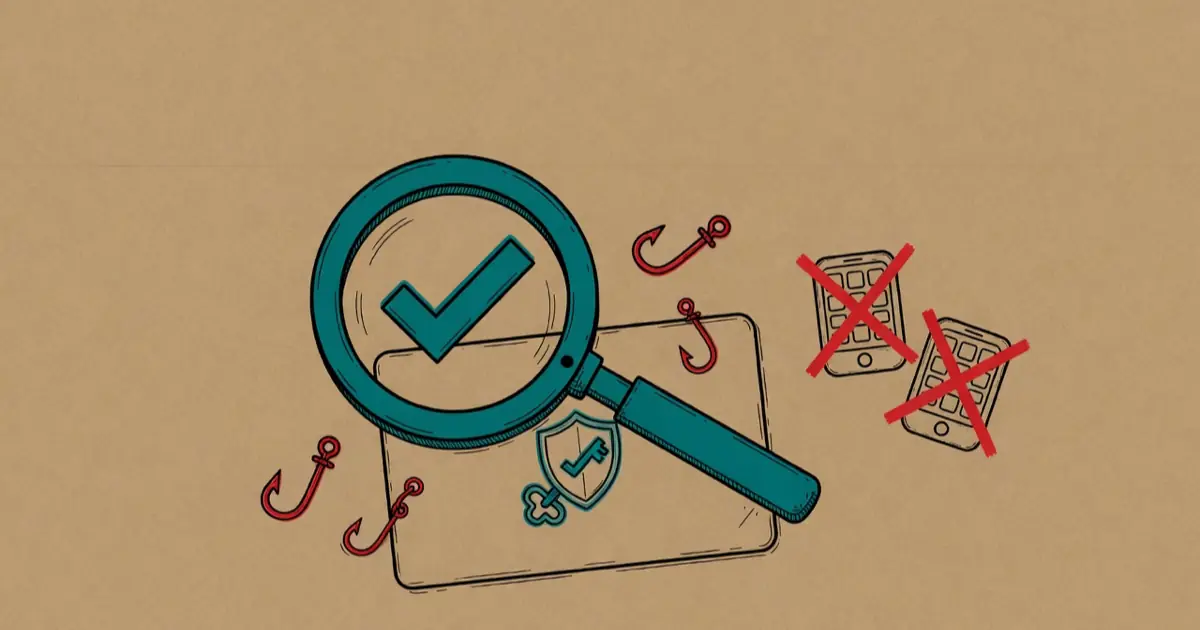
A path from download to sign-up to first trade, with fake-app, phishing-site, and fake-support traps along the way caught under a magnifying glass—symbolizing signing up for OKX safely
The sign-up itself isn't hard—the hard part is not getting intercepted by imposters at "where you enter, where you download, and who adds you."

You want to open an OKX account, and a quick search turns up a pile of "tutorials." But honestly, which boxes you fill in isn't the point—what actually trips people up happens before you've filled in anything: which link you entered through, where you downloaded the app, and who reached out to you around sign-up time. This piece skips the screenshots and instead walks before, during, and after sign-up, flagging the anti-scam step hidden in each one. Follow it, and you'll sidestep the most common traps before they appear.

Three lines to remember first:
  • Most sign-up traps are at the entry points: entering, downloading, and friend requests—keep all three on official channels and most of the danger is gone.
  • Once the account is open, turn on 2FA and set a withdrawal address whitelist immediately—the two walls that save you if your password leaks.
  • Treat any "support agent / account manager" who DMs you as fake support: don't click links, don't transfer, don't read out a code.

Before sign-up: enter the right site, download the right app

Get the first step right and the rest flows. What you really need to do before sign-up is confirm you're facing the actual official channel, not a lookalike clone.

Enter via the official domain

OKX's official domain is okx.com. Check the main domain and suffix in the address bar character by character, and watch for extra words (login/vip/bonus) or near-miss spellings (an o swapped for a 0). Don't click links others send, and don't enter through a sponsored search result—use a bookmark or type it by hand. When unsure, paste the domain into our domain checker.

Download the app only from official sources

On mobile, get the app only from the Apple App Store / Google Play, or the exchange's official download page. Never install a package someone sent you, and don't chase a "no-VPN, no-review build" from a third-party store. Cloned apps are a hotbed of trojan wrappers; install the wrong one and no amount of care afterward helps. For how they clone and how to see through them, see cloned apps.

Confirm once, bookmark immediately

The moment it checks out the first time, add the official site to your browser bookmarks and enter only from the bookmark thereafter—no more relying on search and forwards. This one small move makes every future visit auto-dodge phishing sites.

"Official download" and "latest version" labels prove nothing

Scammers' phishing sites and cloned packages write "official" louder than anyone. To judge real from fake, what you look at is always whether the domain matches character for character and whether the source is the App Store / Google Play or the official site—not how official the page calls itself, and not whether there's an HTTPS padlock (scammers can add that too).

During sign-up: details, the invite code, nothing leaked

Once you're through the right door, the sign-up flow itself is pretty standard: phone or email, set a password, verify as prompted. What you guard here is "fill in what's asked, never leak what shouldn't be said."

Use a strong password, not reused anywhere

Set the exchange a unique, long-enough password—don't share it with your email or social accounts. One leak shouldn't cascade into a chain failure. This is the most basic and most overlooked line.

Enter OK1717 in the invite-code field

The sign-up flow has an "invite / referral code" field—enter OK1717, usually just once at sign-up. It corresponds to OKX's official 20% trading fee discount—that is, a discount on the fees you pay when you later trade, not an investment return and not a cash-back bonus; it's provided by OKX, the rate may change with official policy, and OKX's terms govern. An invite code is just a string of characters; it doesn't change your account's security and won't expose your identity. ScamLens charges you nothing.

Codes, passwords, seed phrases: tell no one

During sign-up and after, your SMS/email codes belong to you alone. No legit support will ever ask you for a code, password, or wallet seed phrase. The moment anyone asks—whoever they claim to be—it's a scammer; stop right there.

After sign-up: raise the two walls on your account

A registered account isn't a secured one. The first thing to do after sign-up is head into security settings and complete your defenses—don't wait until something actually goes wrong.

Turn on 2FA (prefer an authenticator app)

Two-factor adds a layer when your password leaks. Prefer an authenticator app (like Google Authenticator or Authy) over relying on SMS—SMS carries a SIM-swap risk. Once it's on, store your recovery codes safely offline.

Set a withdrawal address whitelist

Limit withdrawals to addresses you've confirmed in advance. Then even if your account is temporarily breached, a scammer can't easily move the coins out, buying you time to react and report. This is the most concrete layer of protection for your assets.

Run a small amount through first

For your first deposit and withdrawal, run a small amount through the full flow first: fund, buy a little, withdraw a small amount back out. Confirm the whole path is smooth and the withdrawal has no strange gates before you consider larger sums. Being able to withdraw smoothly matters far more than being able to deposit smoothly.

The full walkthrough: a checkpoint at every step

Now put it all in order. Below is the sign-up from start to first trade, with the one anti-scam checkpoint that matters at each step. The steps themselves are ordinary; the checkpoints are where people who get burned went wrong. Work down the list and stop at any checkpoint that doesn't clear.

Step 1 — Open okx.com yourself

Checkpoint: read the address bar letter by letter—o, k, x, dot, com—with no extra words and no 0-for-o swap. Type it by hand or use your own bookmark; do not arrive from a DM, a chat, or a sponsored search slot. If anything looks off, paste it into our domain checker before going further.

Step 2 — Install the app from an official store only

Checkpoint: on the App Store or Google Play, confirm the listing's developer name and that it has a large, established install base—then install. Never sideload an APK or take a "special build" from a stranger. A wrong app at this step poisons everything after it. See cloned apps for how the fakes disguise themselves.

Step 3 — Start sign-up: email or phone + a unique password

Checkpoint: use a strong password you've never reused on email or social accounts. Consider a password manager so one leak can't cascade. The codes texted or emailed to you are yours alone—you'll only ever type them into the real site yourself.

Step 4 — Enter invite code OK1717 in the referral field

Checkpoint: the code goes in the "invite / referral code" field, usually just once at sign-up. OK1717 corresponds to OKX's official 20% trading fee discount (a discount on the fees you later pay—not an investment return and not a cash-back bonus; provided by OKX, the rate may change with official policy, and OKX's terms govern). A code is just text; it never changes your account's security or exposes your identity. ScamLens charges you nothing.

Step 5 — Complete identity verification (KYC)

Checkpoint: a real exchange's KYC happens inside the app or on the official site you reached yourself—you upload an ID document and a selfie through its own flow. It will never ask you to send your ID photos to a person in a chat, to a "verification agent," or to an off-site link. If "verification" is happening anywhere other than the official app/site, stop. KYC is a legal anti-money-laundering requirement for regulated exchanges; being asked for it on the official site is normal, being asked for it in a DM is a scam.

Step 6 — Turn on 2FA immediately

Checkpoint: before you fund anything, go to security settings and enable two-factor authentication using an authenticator app (Google Authenticator, Authy, or similar) rather than SMS—SMS is exposed to SIM-swap attacks. Save the recovery codes offline. This is the single highest-value thing you can do right after sign-up, and doing it before your first deposit means your account is never briefly unprotected.

Step 7 — Set a withdrawal address allowlist

Checkpoint: add the wallet addresses you actually use to the withdrawal allowlist (also called a whitelist), and where available, turn on the setting that blocks withdrawals to any address not on it. Now even if someone breaches your account, they can't redirect your coins to their own wallet—the allowlist won't let funds go anywhere you didn't pre-approve. Note that adding a new address often triggers a deliberate time-lock before it's usable; that delay is a feature, not a bug.

Step 8 — Run a small test through the whole loop

Checkpoint: deposit a small amount, make a small trade, then withdraw a small amount back out. You're confirming the full path works and that withdrawals have no surprise gates before you ever scale up. If a withdrawal suddenly demands a "tax," "deposit to unlock," or "fee," that's the signature of a scam platform—but you won't hit that on the real OKX you reached at Step 1.

✓ The two-minute account-hardening pass

If you remember nothing else from this page, remember the order: verify the domain → official store only → OK1717 → KYC on the official site → 2FA before funding → allowlist → small test. The two non-negotiables are 2FA and the withdrawal allowlist—the walls that hold even if your password leaks. Set both before the account ever holds a meaningful balance.

Device and network: the part most guides skip

Most sign-up tutorials stop at "fill the form." But where you sign up from—the device and the network—quietly shapes how exposed your account is. None of this is exotic; it's the same basic hygiene that protects your bank login, applied to crypto.

Sign up on a device you control and keep updated

Use your own phone or computer, not a shared or public machine, and keep the operating system and browser updated—security patches close the holes that info-stealing malware walks through. A device already compromised by malware can capture what you type no matter how careful you are on the site itself, so a clean, updated device is the foundation everything else sits on.

Be careful on public Wi-Fi

Avoid creating an account or logging in over untrusted public Wi-Fi where you can help it. If you must, use a reputable VPN, and never enter credentials on a network you don't trust. The bigger everyday risk isn't someone "sniffing" your encrypted traffic—it's that a public hotspot can serve you to a fake page; either way, your own data connection or a trusted network is safer.

Lock the email tied to your account

Your sign-up email is a master key: anyone who controls it can run password resets. Put a strong, unique password and its own 2FA on that email account too. A great exchange password protects nothing if the inbox behind it is wide open.

Watch out for browser extensions and "wallet helper" tools

Malicious browser extensions and fake "wallet connector" or "airdrop helper" tools are a common way credentials and seed phrases leak. Install extensions only from official stores, keep them to a minimum, and never paste a seed phrase into any browser prompt. The real OKX login never needs your seed phrase.

One device, one rule: nobody ever needs your codes or seed phrase

Whatever device or network you're on, this never changes: your 2FA codes, your password, and your wallet seed phrase are for you to enter, on the official site, and no legitimate party—support, "account manager," or "verification team"—will ever ask you to hand them over or read them aloud. If anyone does, you've found the scammer.

Throughout: the "support" who reaches out to you

This one deserves its own section because it runs through the whole process and is the easiest place to let your guard down. A legit exchange's support runs through in-app tickets and its announcements through the official site—it won't DM you.

See these, and you can call it fake support

  • DMs you out of the blue, calling themselves "official support," "account manager," or "here to activate your account."
  • Uses "account anomaly / risk control / deposit to unlock" as a reason to rush you into transferring or acting.
  • Steers you toward off-site links, groups, or QR codes, or asks for codes, passwords, or seed phrases.
  • Manufactures urgency: "limited spots," "it freezes if you don't act," to keep you from thinking it over.

With this kind of person, remember the three don'ts: don't respond, don't click links, don't transfer. If you need help, go back to the official site you bookmarked and reach support through the in-app official channel. We break down the full playbook and scripts for this in fake support and impersonating officials. If you'd like to walk every step against a list before and after sign-up, see the starter safety checklist.

Sign-up myths and edge cases, settled

A few questions come up around sign-up that send people down the wrong path—either toward a scammer's "shortcut" or toward needless worry. Here's the straight answer on each, so you don't get talked into a workaround that defeats the safety you just set up.

"I need a 'special version' or a 'no-review build' to sign up"

No. This is one of the most common pretexts for getting you to install a cloned app. The legitimate app lives in the official app stores and on the official site; there is no secret, off-store build you need. Anyone offering you one is offering you a trojan. If availability is a question in your region, that's governed by the platform's own current terms—not by a stranger's "modded" package.

"Someone offered to sign up / verify the account for me"

Never let anyone create or verify your account for you, and never buy a "pre-verified" account. An account you didn't open yourself is an account someone else holds the keys to—they can lock you out or drain it later. The whole value of your own KYC, password, and 2FA is that you are the only one who set them. A "ready-made account" hands all of that to a stranger.

"What if I lose my 2FA device?"

This is exactly why you save your authenticator's recovery codes offline at setup, and why account recovery runs only through the official platform's own process. Plan for it in advance: store the recovery codes somewhere safe and separate. What you must not do is let a "support agent" who messaged you "help" you recover access—that's the scam wearing a helpful face. Real recovery happens inside the official app or site, never through a stranger in a chat.

"A bigger bonus is available if I use a different link / pay a deposit first"

Treat any "limited-time, sign up through my link and deposit first" pitch as a red flag. Legitimate sign-up perks—like the OKX official fee discount tied to invite code OK1717—are applied through the normal sign-up flow on the official site and never require you to pay a stranger or route through an off-site link. If a "bonus" needs an upfront payment, it isn't a bonus.

The shortcut is the trap

Almost every sign-up scam is sold as a shortcut—a faster build, a pre-made account, a bigger bonus, a helpful agent. The honest path is unglamorous on purpose: official site, official store, your own KYC, your own 2FA, your own allowlist. When a step feels too easy or too generous, that's the moment to slow down, not speed up.

Common questions

Where in the OKX sign-up are you most likely to get scammed?

Not in "how to fill the form," but in three things: where you enter, where you download, and who adds you. The top traps are landing on a lookalike phishing site from a DM'd link or a search ad, installing a cloned app from a stranger's link or a third-party store, and being guided by a "support agent / account manager" who DMs you around sign-up time. Lock all three entry points—site, download, and friend requests—to official channels, and the sign-up is more than half safe.

Where do I enter the OKX invite code, and what does it do?

The OKX sign-up flow has an "invite / referral code" field—just enter the code there, usually only once at sign-up. The code we provide is OK1717, which corresponds to OKX's official 20% trading fee discount—that is, a discount on the fees you pay when you later trade, not an investment return and not a cash-back bonus; it's provided by OKX, the rate may change with official policy, and OKX's terms govern. An invite code is just a string of characters; it doesn't change your account's security and won't expose your identity or assets.

Why must I turn on 2FA and a withdrawal address whitelist?

Because they're your account's last line of defense. 2FA (two-factor authentication—use an authenticator app rather than relying on SMS) adds a layer when your password leaks; a withdrawal address whitelist limits assets to addresses you've confirmed in advance, so even if your account is breached, a scammer can't easily move the coins out. The first thing to do after sign-up is go into security settings and turn both on—don't wait until something actually goes wrong.

After sign-up a "support agent" DMs me offering to help activate my account—can I trust it?

No—this is a near-fixed scam script. A legit exchange's support runs through in-app tickets and official announcements; it won't DM you, and it certainly won't tell you to transfer funds or read out a code under the banner of "activating your account," "account risk control," or "deposit to unlock." Treat any "official support / account manager" who DMs you, rushes you, or steers you to off-site links as fake support: don't respond, don't click links, don't transfer.

Is the KYC identity check during OKX sign-up safe—why do I have to give my ID?

Identity verification (KYC) is a standard anti-money-laundering requirement for regulated exchanges, so being asked for it is normal—the key is where you do it. On the real OKX, you upload your ID document and a selfie inside the official app or on the official site you reached yourself. It is never legitimate to send your ID photos to a person in a chat, to a "verification agent," or to an off-site link. If "verification" is happening anywhere other than the official app/site, stop—that's the scam, not the KYC itself.

Should I sign up on public Wi-Fi, and does the device matter?

Prefer your own, updated device on a network you trust. Avoid creating or logging into the account over untrusted public Wi-Fi; if you must, use a reputable VPN and never enter credentials on a network you don't trust. Keep your operating system and browser patched, since info-stealing malware exploits unpatched holes, and lock down the email tied to your account with its own strong password and 2FA—because whoever controls that inbox can run password resets. Device and network hygiene is the quiet foundation under everything else.

What's the difference between a withdrawal address allowlist and 2FA—do I need both?

Yes, both, because they guard different doors. 2FA protects the login: it adds a second factor so a leaked password alone can't get in (use an authenticator app, not SMS). A withdrawal address allowlist protects the exit: it restricts withdrawals to addresses you pre-approved, so even if someone breaches the account, they can't send your coins to their own wallet. Set both right after sign-up and before your first meaningful deposit; adding a new allowlist address often triggers a deliberate time-lock, which is protection working as intended.

Start from the official channel

Sign-up step one: confirm the official domain

The whole piece in one line: enter via the official domain okx.com, download the app from official sources, enter OK1717 in the invite-code field at sign-up, turn on 2FA and a withdrawal whitelist, and ignore any "support" that reaches out to you. When you're ready, start from the official channel—run the domain through the checker first.

Enter invite code OK1717 at sign-up to get a 20% trading fee discount (a discount on fees, not an investment return and not a cash-back bonus; provided by OKX, the rate may change with official policy, and OKX's terms govern). ScamLens is an OKX referral partner, not OKX itself, charges you nothing, and gives no investment advice. Always confirm the official domain okx.com.

Related reading