It's a scam. Stop now and don't tap anything else they tell you to. End the screen share first but stay in the meeting for the moment, save screenshots of the other person's account and of the chat in the meeting app, and only then hang up. This applies to anyone on a call or in a chat who says they're customer support and wants you to install a meeting app and turn on screen sharing.
- The reason given can be unfreezing your account, a money-laundering check or an asset conversion; it always ends with you withdrawing or transferring crypto on a screen they're watching, or showing a code or private key.
- Keeping your password and codes to yourself doesn't make you safe: while the share is on, whatever your phone displays shows up on their end too.
- If you've already shared, fix things according to what appeared on screen; delete any unknown device from your Binance device list, and disable the account straight away at any sign of trouble.
Asked to share your screen to unfreeze or verify your account? Treat it as a scam
Scammers pose as platform support, claim something is wrong with your account, and talk you into downloading a classroom or meeting app; then, over the shared screen, they walk you through withdrawing your crypto and steal your wallet's private keys along the way. Binance's warning about impersonators says that law enforcement will not contact you directly on the grounds that your account is at risk of money laundering, nor ask for your password or get you to transfer funds to unknown accounts. Binance's help centre also states that no platform or police officer will ask you to download third-party screen-sharing software.
The reasons they open with
- Your account has received dirty money, is at risk of money laundering, or has been flagged as high risk, so you need to cooperate with a security check.
- Your account has been frozen and you need to follow their instructions to unlock it.
- The platform is offboarding users and ending its service, so your assets need to be converted.
- To confirm it's really you, they need your SMS code or Google Authenticator code, or want you to approve a login from another location.
Every one of these reasons ends in the same place: getting you to withdraw your crypto to a so-called "safe account" or an address they name.
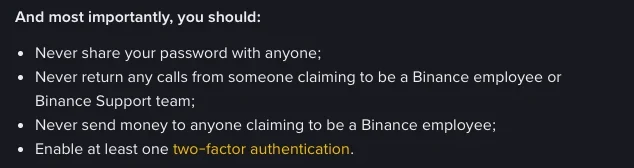
If someone calling says they're Binance support, you don't need to hear the rest: Binance tells users never to return calls from anyone claiming to be its staff or support team, and says its support staff will never ask you to reveal sensitive information or send money to any address for any reason. Don't use any number, link or group chat they send you; to check, open the app yourself and contact support from inside it. The identity a fake support caller gives you, and any link or social media account they send, can be checked on the exchange's official verification page.
How can crypto be taken if you never gave out a password or code?
Because the share itself is handing it over. The Shenzhen Municipal Public Security Bureau explains in an anti-fraud notice that once screen sharing is on, everything on your phone is mirrored to the other person's computer or phone, including key details such as bank account numbers, passwords and verification codes.
On an exchange or a wallet, that means everything that ever appears on your screen: the verification text that pops up when you log in, the numbers in your authenticator app, your account balance, the address you type on the withdrawal page, and any seed phrase or private key you open in your wallet. Information that protects your account and assets should never be screen-shared, photographed or sent to anyone as a screenshot. When they "guide" you through a withdrawal, the code you type and the receiving address you confirm are all right there in the shared view.
Already shared your screen? Fix what was shown on it
End the share first, but don't leave the meeting or uninstall anything yet; next, take screenshots of the chat in the meeting app and of the other person's account and phone number, then hang up and leave the meeting, and finally uninstall the app they had you install. After that, think back over what appeared on your screen during the share and deal with each item separately. Having shared your screen doesn't mean your account has already been taken; the job is to replace or cancel everything that was exposed, one item at a time.
- Your Binance account. Binance Academy's account security guide lists steps you can take right away: open Device Management in your account settings, review the devices authorised to access your account and remove any you don't recognise or no longer use; a removed device can't access the account again without going through an email confirmation step. Check the activity log for the IP addresses and times of recent logins as well. If anything looks unfamiliar, disable the account immediately: this suspends trading and withdrawals, removes all API keys and clears all authorised devices. In the app, the path is [Account Info] → [Security] → [Manage Account] → [Disable Account].
- Login password and email. Give the exchange and the linked email account a new strong password each. The email has to be changed too: a removed device can only get back in through an email confirmation step, and if you use a withdrawal whitelist, any new address added to it needs email confirmation as well.
- Wallet seed phrase or private key. If it appeared on screen during the share, treat it as leaked. Create a new wallet first and write down and store the new seed phrase, then move the assets over from the old wallet, in that order.
- Banking apps. If you opened online banking or a payment app during the share, contact your bank, explain what happened and follow its instructions.
Anything to do with your money goes through official channels only
For any question about your funds, go to the exchange's official online support first, and check any phone number, email address or website claiming to be official on the exchange's official verification page. Always go in through the official app you installed yourself, never through contact details the other side gave you.
Crypto already sent? Keep the records, then go to the police
Once you realise you've been scammed, stop any further losses, keep your chat history with the scammer and your transaction records, and contact the police as soon as you can. Put the screenshots of the meeting-app chat, the scammer's account and phone number, and the withdrawals you made along with their receiving addresses all into one file. You can also report it to the exchange that was impersonated; Binance asks users to report any scam activity posing as Binance to its team straight away.
For evidence, password changes and the police report, work through what to do after a crypto scam one step at a time. If, after you've reported it, someone turns up offering to "recover" or "unfreeze" your funds for a fee up front, don't engage.
Spotting the same scam when it switches to QR codes or "unusual activity" emails
They didn't ask me to share my screen, they want me to scan a QR code or open a link to verify an order. Is that the same scam?
Yes, it's the same playbook. Binance's help centre also lists both moves among impersonation tricks: sending users to a convincing phishing site to "unfreeze" an account on the pretext of verifying an order, and fake texts, emails and calls asking you to scan a QR code or verify an order on a phishing site. The method has changed; the goal is still your account details or a withdrawal. Hang up just the same, and look the order up yourself in the official app.
I downloaded the meeting app from an official app store. Does that make it safe?
No. The meeting apps scammers steer people to may come straight from an app store or from tapping an unknown link, and the Shenzhen police anti-fraud notice lists both. Where the app came from doesn't decide whether you're safe; what matters is what was on your screen while it was shared, and what they had you do.
I got an "unusual account activity" email. How do I check whether Binance really sent it?
Check the sender address and any link in the email with Binance Verify, Binance's official verification tool; Binance's help page also lists its official sending addresses, so compare the sender against that list. To tell at a glance from now on, turn on the anti-phishing code in your security settings: once it's on, every official email carries the code you set, and any email without it shouldn't be trusted.
Related reading
- Police Call Says Move Crypto to a “Safe Account”: Is It a Scam?: the version where the caller says they're the police and need you to cooperate with a money-laundering check.
- Phishing Texts & Emails Posing as Your Exchange: another way fake support opens, with an "unusual account activity" text or email.